01
Bookings stay together
See online reservations, staff-entered bookings, and walk-ins in the same working view.
THE PRODUCT
Reseffi brings online bookings, table management, guest records, and team access into one clear workflow. Less back-and-forth. More attention on service.
Start free trialThe useful details stay together, so the team can see what is happening without rebuilding the story from calls, notes, and separate tools.
See online reservations, staff-entered bookings, and walk-ins in the same working view.
Use tables and dining areas to place parties and keep the service view current.
Keep guest details, tags, notes, and reservation history available to the team.
REAL PRODUCT SCREENS
These are working Reseffi screens using fictional test data—not concept mockups. Follow a reservation from the service view through its details, table setup, and website widget setup.
Open the reservation view to see parties, times, status, and table placement together.
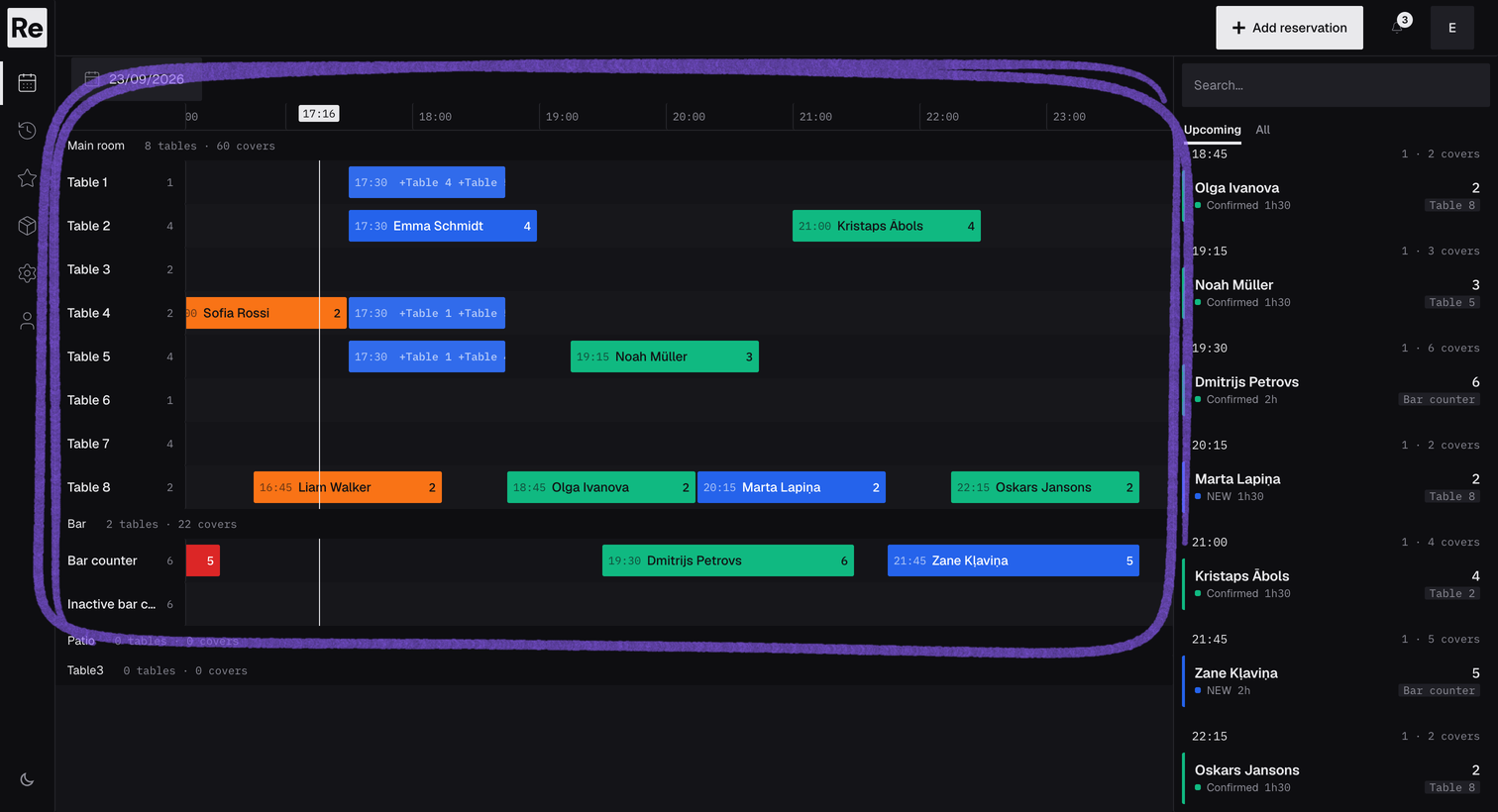
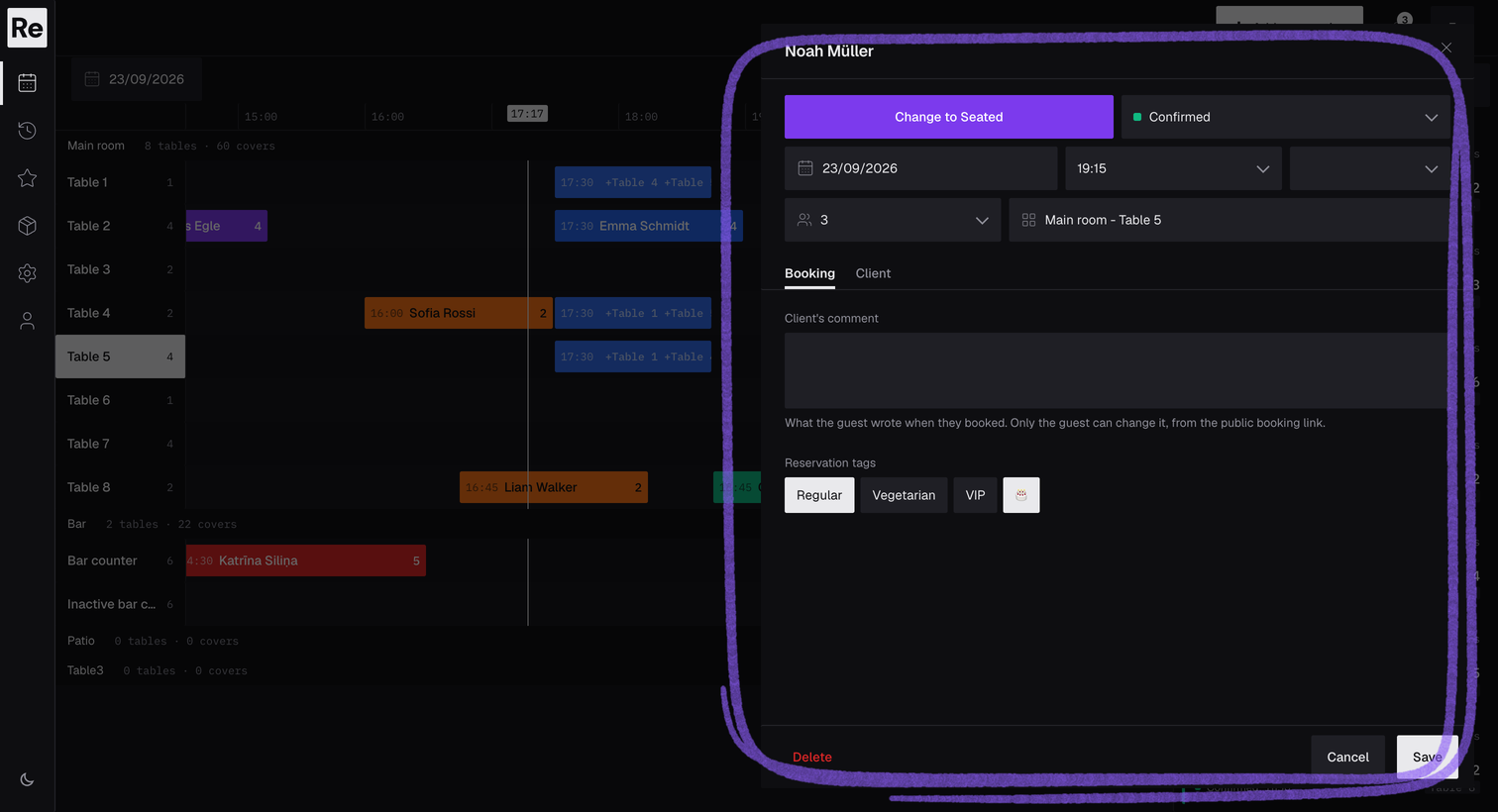
Open a reservation to manage its status, time, duration, party size, notes, tags, and guest details.
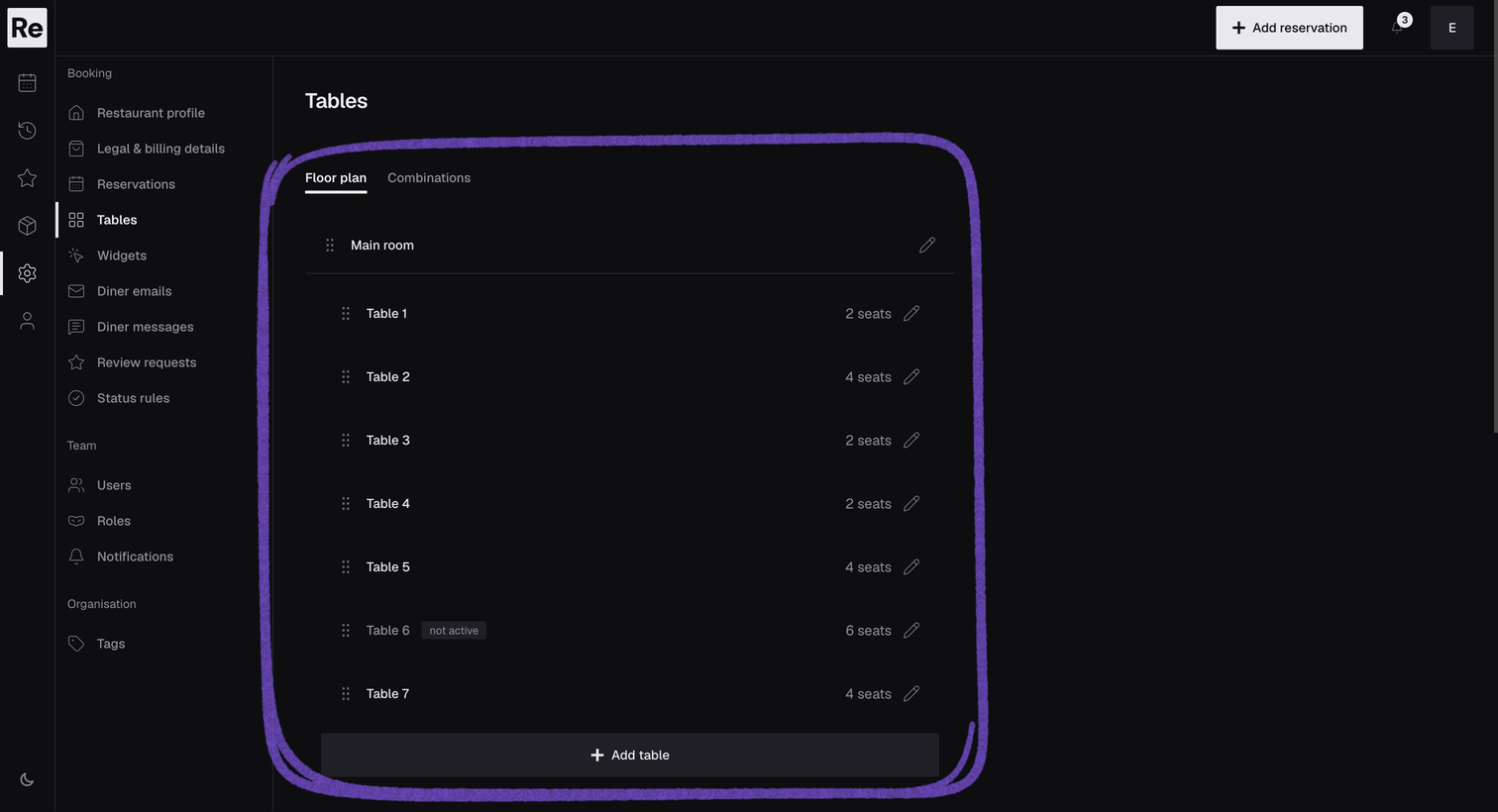
Create dining areas and tables so the team has a shared structure for placing reservations.
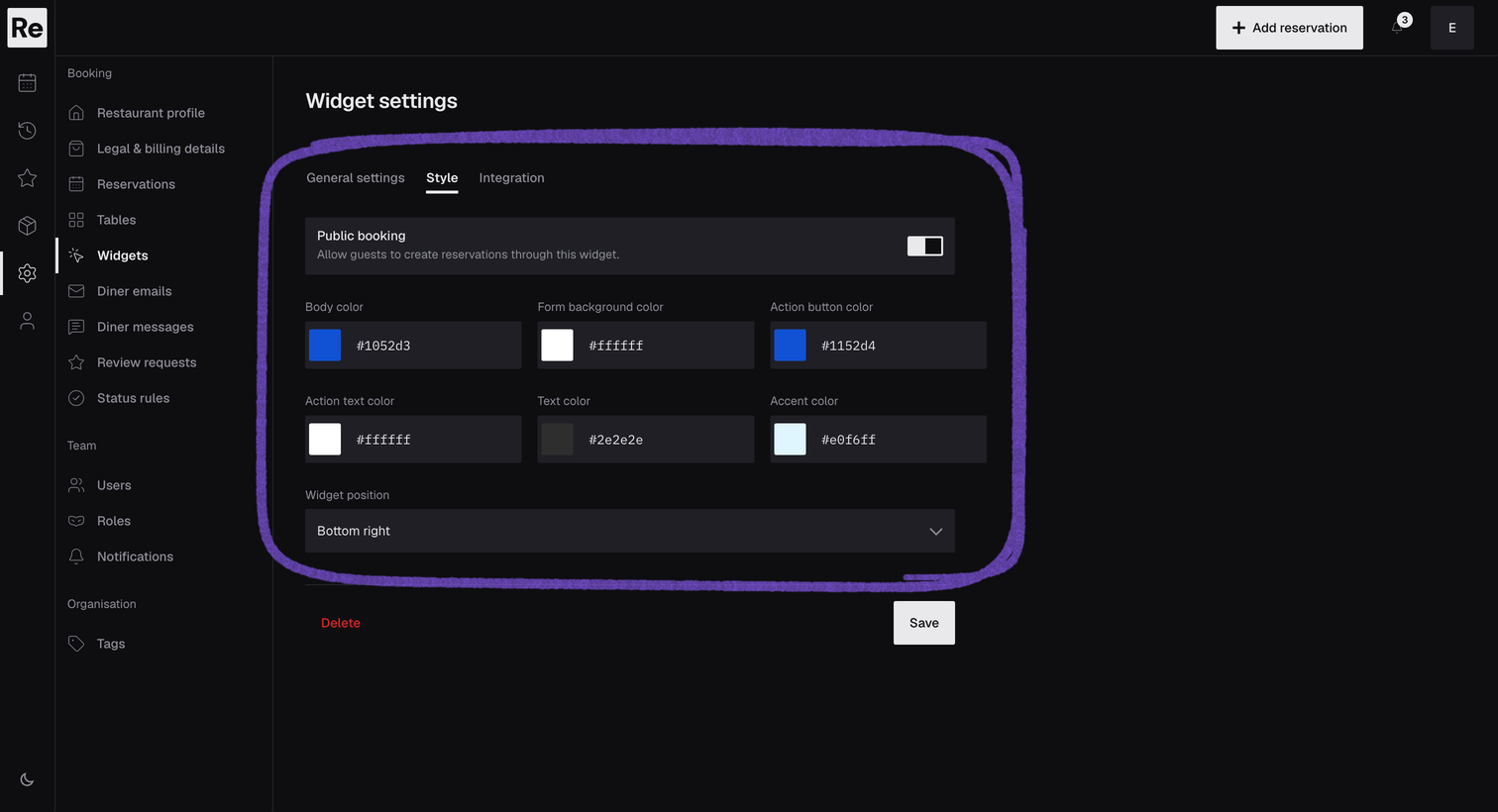
Set the colors for the widget's background, form, buttons, and text so it matches your brand, and choose where it sits on the page. Next, copy the embed code or a direct booking link to publish it.
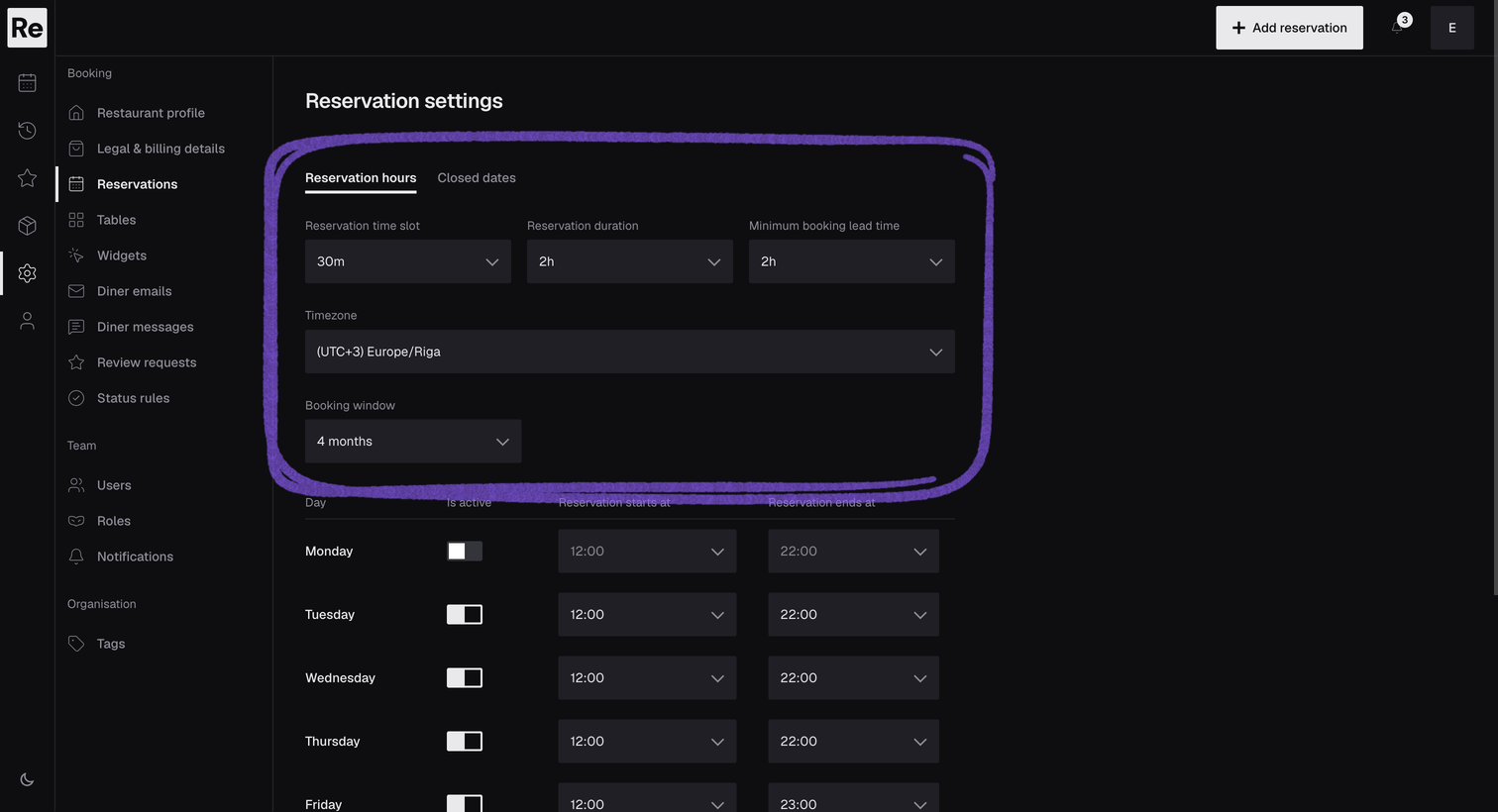
Set reservation hours, slot length, booking duration, lead time, timezone, and closed dates before opening bookings.
Add the Reseffi booking widget to your website or share its direct link. Guests can request a table, receive booking emails, and use their secure link to change or cancel a reservation.
Each part has a clear job. Together, they give the team one shared view from the first booking to the end of service.
Create, update, confirm, cancel, and review bookings from one dashboard.
Organize tables and areas so each booking has a clear place in the service plan.
Keep contact details, tags, notes, and visit history close to the reservation.
Invite colleagues by email and control what each role can see and change.
Standard single-location setups are designed to go live within one day. We’ll confirm timing after reviewing your setup, help you configure the essentials, and stay close through go-live.
Tell us how you handle bookings today. We normally reply within 24 hours and tailor the walkthrough to your setup.
Book a demo
PRODUCT FAQ
Yes. Booking emails use a secure link that lets the guest open the reservation flow and make the available change or cancellation.
Yes. Staff can create reservations in the dashboard and manage them alongside online bookings.
Yes. Invite each colleague by email, assign a role, and use its permissions to control what they can see and edit.
Yes. We assess migration case by case, confirm what can be moved, and help prepare the venue for go-live without promising an unsupported automated import.
Yes. The free trial lasts 30 days and does not require a payment card.