01
Keep booking details close
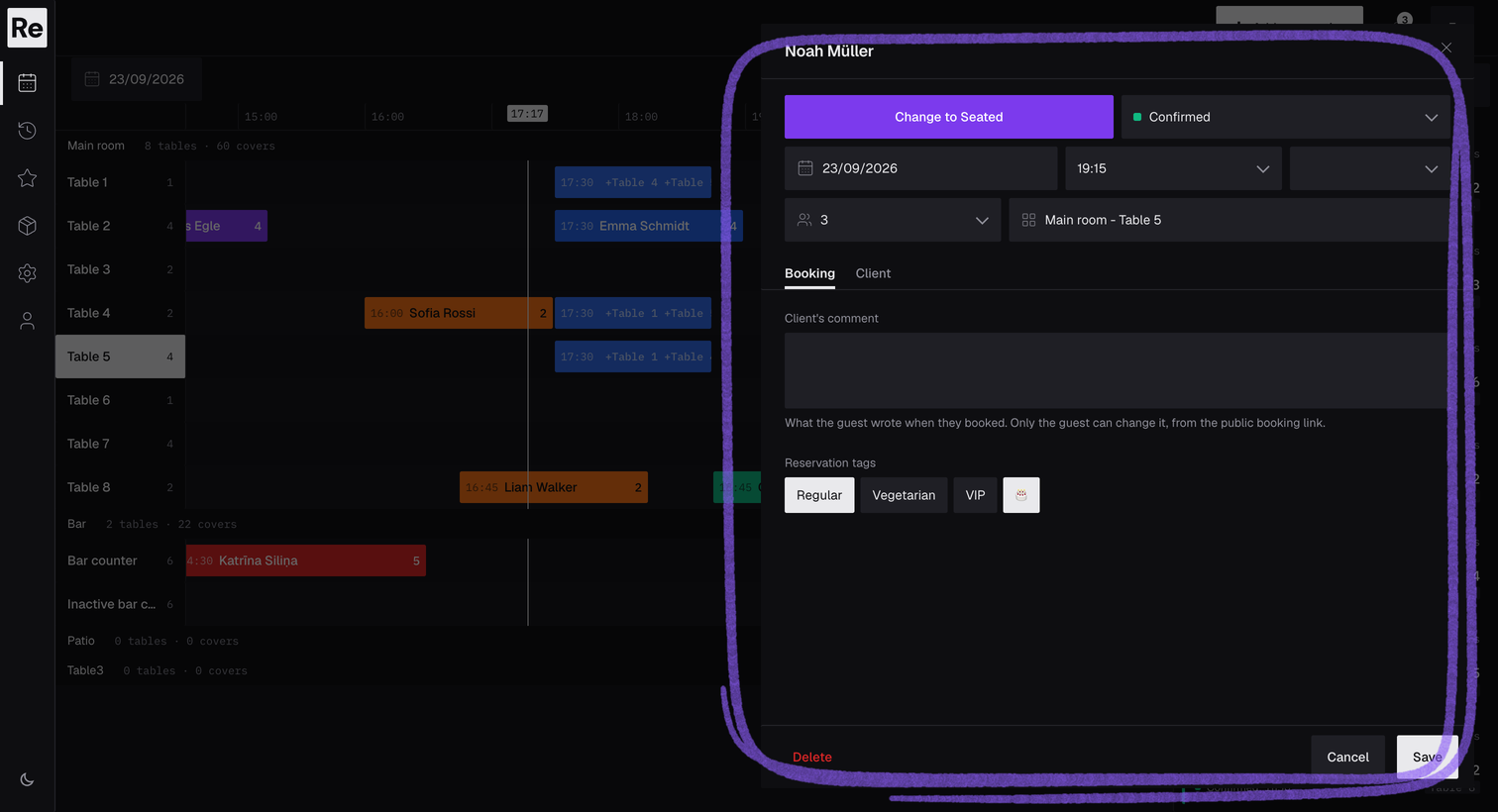
Open a reservation to manage its status, time, duration, party size, notes, tags, and guest details.
GUEST MANAGEMENT
Reseffi keeps guest details, tags, notes, and reservation history with every booking, so your team can greet regulars and remember what matters.
Start free trialREAL PRODUCT SCREENS
These are working Reseffi screens using fictional test data—not concept mockups. Follow a guest from the booking details to their tags, staff comment, and the guest list.
Open a reservation to manage its status, time, duration, party size, notes, tags, and guest details.
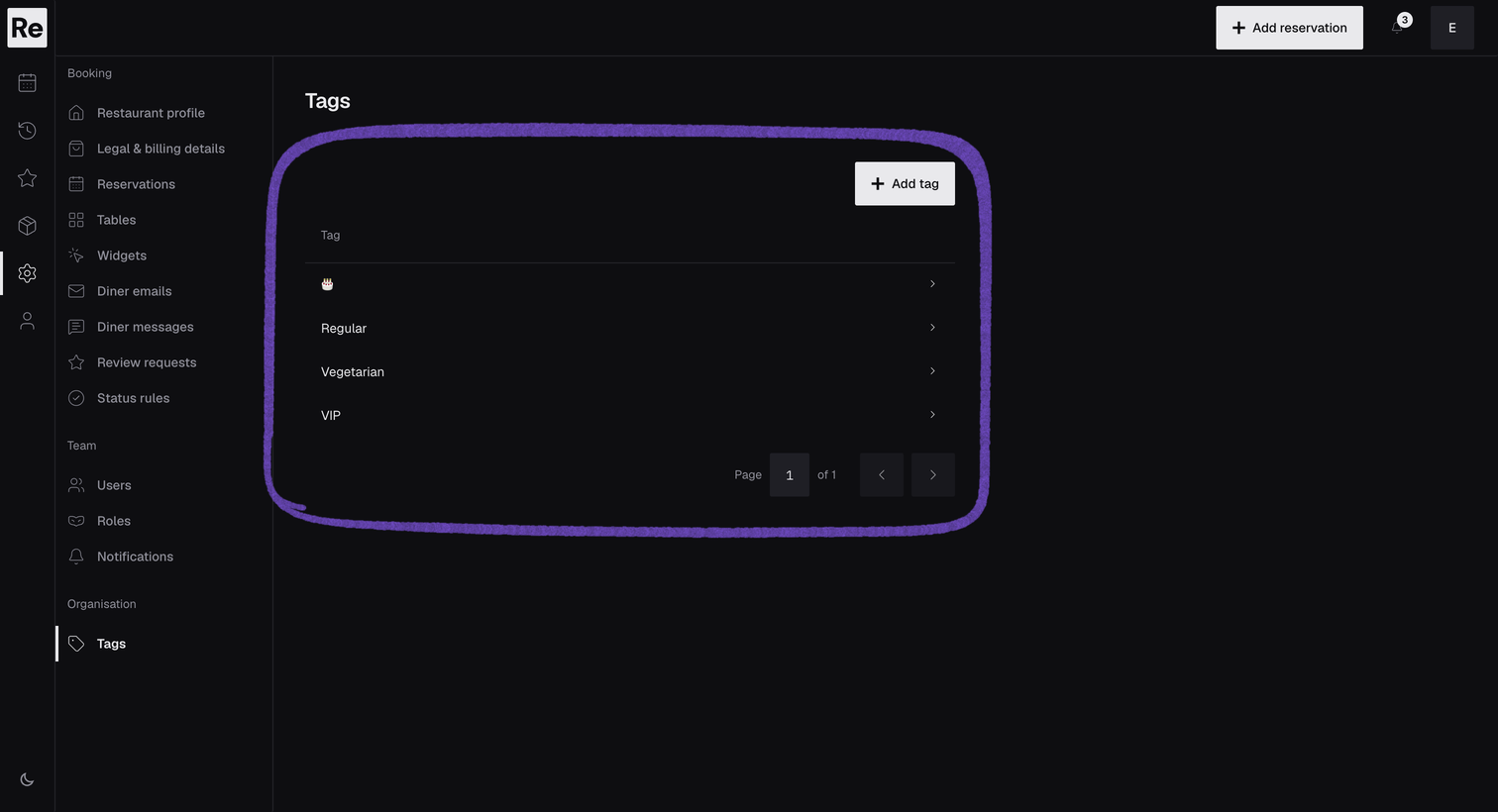
Create your own tags, such as VIP, Vegetarian, or a birthday, to match how your restaurant works. Everyone on the team marks guests the same way, so a dietary need or a special occasion is spotted before the guest sits down.
Search the guest list and see each guest’s contact details and tags at a glance.
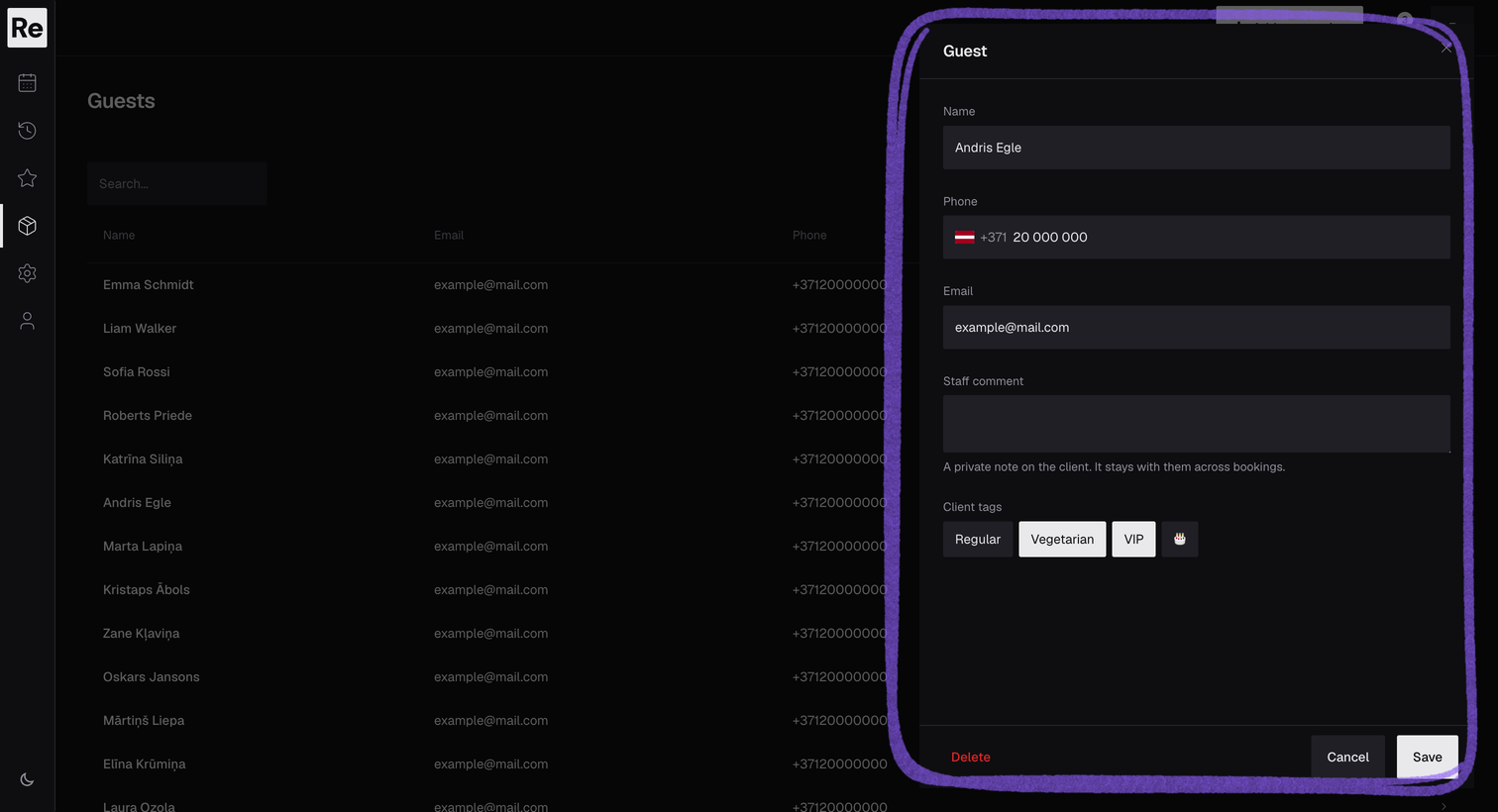
The details come from the booking and from your team.
The guest’s name, email address, and phone number from the reservation.
Tags and staff notes, such as a seating preference or an allergy the guest mentioned.
Earlier and upcoming reservations, with party sizes, in one place.
Open the reservation to see the guest’s earlier visits, tags, and notes. Add what the team learned tonight, and it is there next time.
Guest records stay inside your restaurant’s Reseffi account. Colleagues see and change them according to the role you give them. Reseffi keeps guest information for service; it does not run marketing campaigns.
Read the privacy policyFAQ
Yes. We assess migration case by case, confirm what can be moved, and help prepare the venue for go-live without promising an unsupported automated import.
Only colleagues you invite. Each person’s role controls what they can see and edit.
No. Reseffi keeps the guest information your team needs for service. It does not send newsletters or run automated campaigns.
Tell us how you handle bookings today. We normally reply within 24 hours and tailor the walkthrough to your setup.
Book a demo